Image from http://www.webassignthree.wordpress.com
(OMG I just cited myself 🙂 )
After the reading the articles by Gambrell (2015), Hadley (2017) and Piola (2018) I incorporated at least five of their recommendations into my website.
As I chose an art gallery for my assignment the article by Hadley (2017) was particularly useful. Hadley’s advice was very logical and derived from their own research into the design of museum websites, when combined with my own it seemed to represent the industry’s best practice. I separated my content into three main groups of visitor information, what’s on at the gallery and other essentials. I also used a picture of the outside of a building as the feature image in my Visit Us section as Hadley (2017) says this inspires visitors to feel that the gallery is a “magnificent place to explore.”
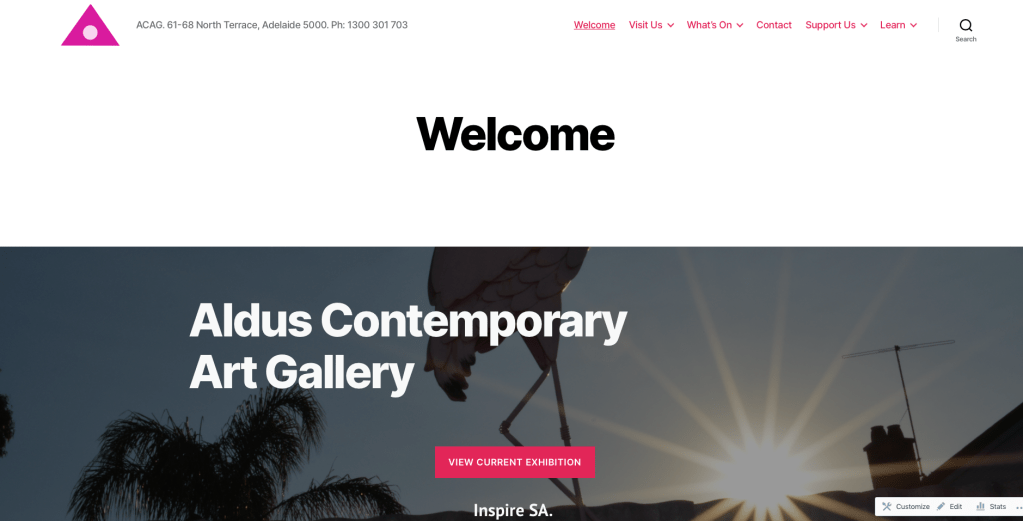
After reading the article by Piola (2018) I was convinced not to include a slider of images and instead opted for a hero image on the homepage, this is better for screen readers as well as it part of the background. Piola (2018) argues that sliders have a low engagement rate and do not respond well to the resizing on mobile sites. Another brilliant tip from Piola (2018) was to include a donation button on the site and have it featured prominently on every page. I created a page dedicated to donations and different methods of support after reading this. As Piola (2018) says “asking for donations straight out is the best way to get them.”
The article by Gambrell (2015) reminded me to keep the website simple. As recommended I have not used any library or technical jargon, I made the search bar visible on every page and tried to keep the home page clear and without clutter. All of this results in a website that is easy to use for a better user experience.
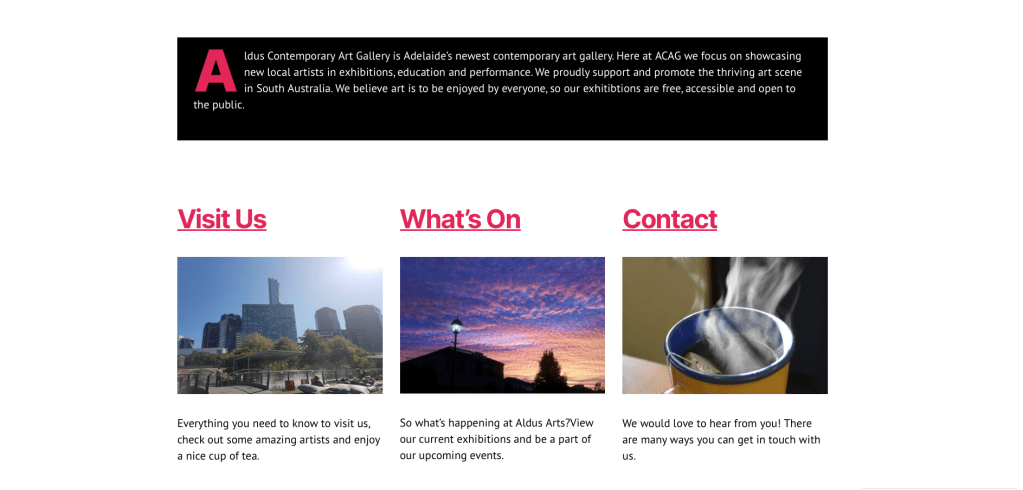
Image from http://www.webassignthree.wordpress.com
References
Gambrell, K. (2015). 7 best practices for creating a user friendly library website. Retrieved from https://www.ebsco.com/blog/article/7-best-practices-for- creating-a-user-friendly-library-website
Hadley, P. (2017). What do the best museum websites all do? Retrieved from https://blog.cogapp.com/what-do-the-best-museum-websites-all- do-8d6727504605
Piola. (2018). 8 tips to improve your library’s website design. Retrieved from https:// meetpiola.com/8-tips-to-improve-your-librarys-website-design/
 Technological Foundations
Good translation of the recommendations from the readings to your your website design. Yes, it is very cool when you can cite yourself.
LikeLike